
Last updated: October 26, 2026
How pocket wifi rental works in Korea
You book a router online for a set number of days. At the booth you show your confirmation, your passport and your card, and you walk away with the router, a charger and a pouch. Your phone, tablet and laptop then join its wifi network like any other wifi.
Korea's major airports, including Incheon, Gimpo, Gimhae and Jeju, have roaming centers run by the mobile carriers. According to the Korea Tourism Organization, these centers handle roaming, SIM card sales and wifi router rentals. The three carriers are KT, SK Telecom and LG U+.
Pocket wifi, SIM or eSIM: which one fits you?
| Your situation | Best pick | Why |
|---|---|---|
| Solo, phone supports eSIM | eSIM | Nothing to carry or return |
| Solo, phone has no eSIM | Physical SIM | Fits any unlocked phone |
| Two or more people traveling together | Pocket wifi | One rental serves 3 to 5 devices |
| A laptop or tablet without a SIM slot | Pocket wifi | Any wifi device can connect |
| You need a Korean phone number | SIM | A router gives data only |
A router adds one more thing to charge and carry, and you must return it. A SIM or eSIM avoids that. For the SIM and eSIM options, see our Korean SIM card guide.
Compare the three routers
Prices change often and I could not confirm current daily rates on an official page, so check the price on the booking page before you pay. These facts come from the current listings of each rental.
| KT | SK Telecom | WifiDosirak | |
|---|---|---|---|
| Devices at once | 3 | 3 | 5 |
| Battery (listed) | 7 to 9 hours | About 12 hours | About 9 hours |
| Rental length | Daily, or a 30-day plan | 30-day plan for stays of 18 days or more | Minimum 3 days |
| Extension | Not listed | ₩3,300 per extra day, ₩55,000 for 30 days | Ask in advance and prepay |
| Loss or damage | ₩50,000 to ₩150,000 for the router | ₩100,000 charged if you do not return it | Not listed |
Notes on the data plans:
- KT lists unlimited 4G/LTE data with a top speed of 20 Mbps. If you rent for more than 17 days, the listing says to book the 30-day option to save money.
- SK Telecom sells a 30-day unlimited plan for long stays. For under 18 days, the listing points you to a short-term router.
- WifiDosirak sells plans with a data cap: 2 GB or 10 GB of 4G LTE per day. After the cap, speed drops (512 kbps on the 2 GB plan, 1 Mbps on the 10 GB plan) but the connection stays on.
What you need to pick up
- Original passport. The KT listing says photocopies and scans are not accepted.
- Credit card in your name. The booth holds it as a security deposit. The KT listing says debit cards are not accepted. The SK listing says Visa or Mastercard only, and it excludes American Express, any Hana Card and Samsung Card issued outside Korea.
- Card validity. The SK listing wants more than 3 months left before the expiry date.
- Your booking confirmation on your phone.
The card is charged only if you lose or damage the device. KT also lists ₩10,000 each for a lost charger or pouch.
Show this: 와이파이 에그 예약했어요. 여권이랑 신용카드 여기 있어요.
How to book
- Pick a provider and the pickup place, Terminal 1, Terminal 2, Gimpo or Gimhae.
- Choose the number of days. Rental days are counted per day, including the pickup day, in the SK listing.
- Pay online and check your email for the confirmation.
- Check the cancellation terms. KT refunds 100% three days before the reserved date, 80% two days before and nothing the day before. WifiDosirak refunds 100% until 5 p.m. KST the day before.
Pickup and return at Incheon
Booth locations and hours differ from listing to listing, so use the address on your own confirmation. These are the ones listed now.
| Provider | Terminal | Location (arrivals, 1st floor) | Hours |
|---|---|---|---|
| KT | T1 | Next to Gate F | 24 hours |
| KT | T1 | Next to Gate A | 6:00 a.m. to 10:00 p.m. |
| KT | T2 | Between Gates 4 and 5 | 24 hours |
| SK Telecom | T1 | Opposite exit 13 | 24 hours |
| SK Telecom | T1 | Opposite exit 2 | 6:00 a.m. to 10:00 p.m. |
| SK Telecom | T2 | Between exits 6 and 7 | 24 hours |
| WifiDosirak | T1 | Gate 12 (T1F) | 24 hours |
| WifiDosirak | T1 | Gate 3 (T1A) | 6:00 a.m. to 10:00 p.m. |
| WifiDosirak | T2 | Next to Gate 1 | 6:00 a.m. to 10:00 p.m. |
You can return the router at any pickup location of the same provider, not only where you picked it up. SK also lists a T2 return-only counter on the 3rd-floor departures level, open 6:00 a.m. to 10:00 p.m.
Plan to return it before you go through security. If you miss the return date, the SK listing says the device stops working at 12:00 a.m. and you are charged for the extra days. Returning early gets no refund on KT and SK.
If you land in Seoul by train, our AREX guide shows how to get to the city.
Using one router for a group
- Count your devices first. A couple with two phones and a laptop is already 3.
- For a group of four or five phones, WifiDosirak's limit of 5 is the only one of these three that fits.
- Speed drops as more devices connect, and KT's listing says 3 devices gives "optimum speed".
- WifiDosirak says its signal works smoothly within about 10 to 15 meters, and the listed battery life is 7 to 12 hours. Charge it every night and carry a power bank.
- One person holds the card and the deposit, so decide who carries the router.
Pocket wifi vs T-Money and other travel basics
A router covers data, not payments or buses. Pick up a T-Money card separately for subway and bus rides. Public wifi is also free at most airports and subway stations, and the government hosts a list at wififree.kr, but it drops out as soon as you leave.
Sources
- Electricity & Communications (VISITKOREA)
- Korea Pocket WiFi Rental, KT (Trazy)
- SKT Portable WiFi Rental (Trazy)
- WifiDosirak Pocket Wi-Fi Rental (Seoul PASS)
This guide is general information, not legal advice. Rules and prices change, so confirm with the provider's booking page and the roaming center before you pay.
Related guides
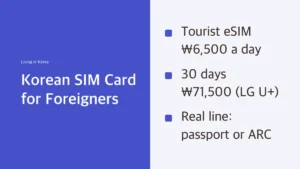 Korean SIM Card: Tourist eSIM From ₩6,500, Real Line With Passport or ARCWhere to get a Korean SIM card or eSIM, what it costs, and what you need to show. Tourist prices from the carriers'…
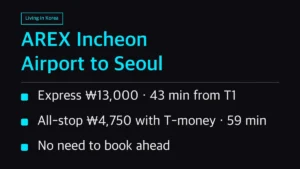 AREX Incheon Airport to Seoul: ₩13,000 Express or ₩4,750 All-StopAREX from Incheon Airport to Seoul Station compared: express vs all-stop fares, travel time from Terminal 1 and…
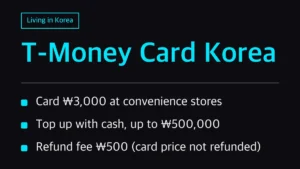 T-Money Card Korea: ₩3,000 at Convenience Stores, Top Up With CashWhere to buy a T-money card in Korea, what it costs, how to load it with cash, how transfer discounts work, and how…