
Last updated: October 29, 2026
Ticketlink (티켓링크) is one of Korea's big ticket sites, covering concerts, musicals, plays, exhibitions and baseball and other sports. Some popular programs sell there too, such as the regular nights of the Changdeokgung Moonlight Tour. Everything below comes from Ticketlink's own English help pages.
Sign up: use the global site and a PAYCO ID
| Step | What Ticketlink says |
|---|---|
| Who can buy | Members only. The reservation service is not offered to non-members. |
| Which account | Sign in with a PAYCO ID. |
| No PAYCO ID yet | Click Create account at the bottom of the Sign In page, then enter your email address and a password. |
| Consent | You must agree to let PAYCO share your personal information to sign up. |
Two rules matter for foreigners:
- Ticketlink's FAQ says foreigners can join through the same identity verification as Koreans. If you sign up for the global service, there is no additional identity verification.
- The same ID cannot be used for both the domestic and the global service. If you already have a Korean-site account, you still need a separate one for global.
Buy a concert ticket in five steps
Ticketlink's performance guide lists five steps. All times shown are Korean local time.
- Date and round. Pick the show date and click Reserve. Before sales open, the button reads To Be Sold. When the sale time arrives, refresh the page (F5) and it changes to Reserve.
- Seat. Choose your seat on the seat map. Some shows make you pick a zone first. Use the mouse wheel to zoom.
- Ticket type and number. Check the price and any discount, and choose how many tickets you want.
- Delivery and confirmation. Choose how you will receive the ticket and tick the required agreements, including the cancellation fee policy.
- Payment. When the payment window opens, choose a payment method and pay.
If the booking window does not open, allow pop-ups in your browser.
Your seats are held for 8 minutes once selected. If you do not pay inside that time, the reservation does not go through. After payment, your tickets appear under My > My ticket.
Booking fee and cancellations
| Product | Booking fee per ticket |
|---|---|
| Musical, concert, classical concert, ballet | ₩2,000 |
| Theatrical play | ₩1,000 |
| Exhibition | ₩500 |
Ticketlink adds that the fee can differ by product. The booking fee is refunded only if you cancel on the day you reserved. After that day it is not refunded (Article 25 of the Terms and Conditions). The cancellation fee policy for the ticket itself is shown in step 4 and varies by event, so read it before you pay.
How you get your ticket
Ticketlink offers four ways to receive a ticket, and the event decides which ones you can choose.
| Method | How it works | Good to know |
|---|---|---|
| Home ticket (mobile barcode) | Show the barcode at the entrance. Find it in the Ticketlink app under Menu > Confirm/Cancel Ticket > Reservation History. | Everyone in your booking must enter together. Not offered for every event. Not available if you need proof of attendance. |
| Smart ticket (mobile) | Issue the ticket on your phone and get the barcode scanned at the gate. | Not available for every product. Sports tickets issue 2–3 hours before the event, same-day tickets from midnight, exhibition tickets during the exhibition period. You cannot use it if you already have a paper ticket. |
| On-site pickup | Collect at the box office with the confirmation SMS or your ticket number. | Performances and exhibitions: 1 hour to 30 minutes before showtime. Your confirmation number is under My Page > Confirm/Cancel Ticket. |
| Delivery | Ticketlink sends the ticket to your address. | The help page lists delivery within 10 business days (domestic). You cannot change the address once the status is "Preparing for delivery". |
For sports venues, the pickup machine asks for your reservation number and date of birth. To speed up box office pickup, click Print under My Tickets > Reservation Details and show the printout.
Show this: 예매 번호로 티켓 찾으러 왔어요.
Quick checklist
- Create a PAYCO ID with your email on the global sign-up page, not your Korean-site login.
- Reserve at the exact sale time and pay within 8 minutes.
- Budget ₩2,000 per concert ticket for the booking fee.
- Save the confirmation number and check your spam folder if the SMS does not arrive.
- Arrive 30 to 60 minutes early if you pick up at the box office.
FAQ
Can foreigners join Ticketlink?
Yes. Ticketlink's FAQ says foreigners can sign up, and the global service needs no extra identity verification.
Can I buy without signing up?
No. The reservation service is not offered to non-members.
Sources
- Ticketlink Global: Sign in & Sign Up
- Ticketlink Global: Purchasing performance tickets
- Ticketlink Global: Ticket pickup
- Ticketlink Global FAQ: Can foreigners also join the membership?
- Ticketlink Global FAQ: What is the reservation fee?
This guide is general information, not legal advice. Rules change, so confirm with Ticketlink's customer center (1644-3850, English) before you buy.
Related guides
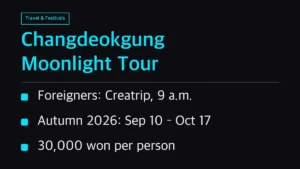 Changdeokgung Moonlight Tour: Foreigners Book on Creatrip at 9 a.m.The Changdeokgung Moonlight Tour has its own English, Chinese and Japanese nights, sold first come on Creatrip at 9…
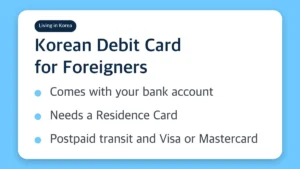 Korean Debit Card for Foreigners: You Need a Residence Card FirstForeign residents get a Korean debit card, called a check card, when they open a bank account with a Residence Card.…